
VeggieKing: fresh fruit and vegetable delivery apps
Flutter apps for customers and delivery partners, with any-weight orders, live tracking, loyalty points and festive themes, live on Google Play.

What we built for VeggieKing
VeggieKing delivers fresh fruits, vegetables and everyday groceries to the customer's door. We built its customer app and its delivery-partner app in Flutter: category shopping and voice search, orders by any weight, live order tracking, VeggieKing Points, one-tap reorder and seasonal festive themes, with a web admin panel for stores, stock, orders and riders.
- Client
- VeggieKing
- Industry
- Grocery & quick commerce
- Project type
- Grocery delivery apps
- Platform
- Android apps on Google Play, built with Flutter
- Available on
- Google Play
- Services
- Web & mobile app development
About VeggieKing
VeggieKing is a fresh fruit, vegetable and grocery delivery service. Its Google Play listing describes farm-fresh vegetables, seasonal fruits, quality-checked and hygienically packed products, and fast doorstep delivery.
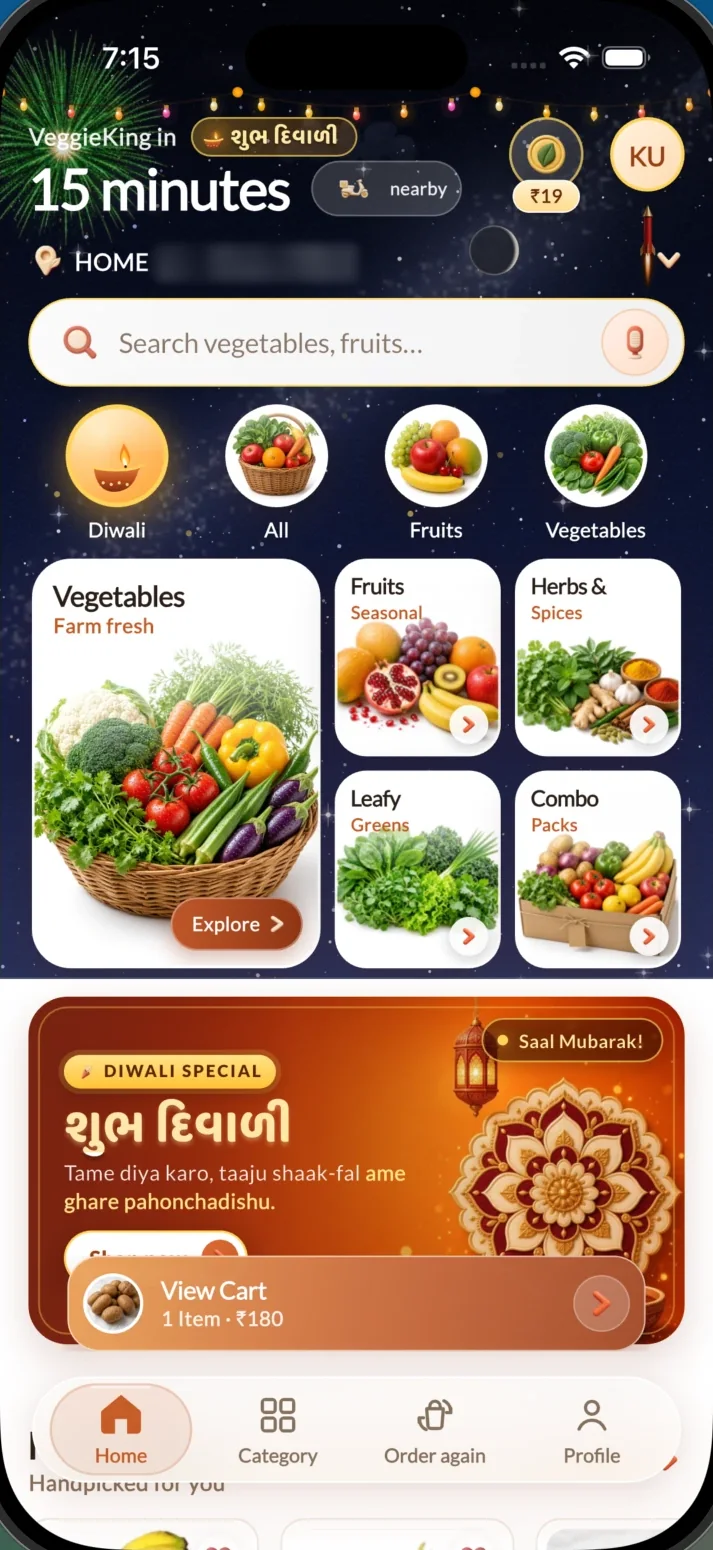
The app's home screen promises delivery in 15 minutes from a nearby store. That is the client's service promise, not a figure we measured.
Source: the VeggieKing listing on Google Play.
The problem to solve
Fresh produce is bought often, in small and exact quantities, and customers expect it at the door quickly. A repeat order has to take seconds, not minutes.
Behind the app, each order has to reach a store with stock and a rider nearby, so customers, riders and the store team all need the same live picture of the order.
What the build had to do
- Let customers shop by category or search, including by voice
- Allow orders by any weight, not only fixed pack sizes
- Show live order status and tracking after checkout
- Bring customers back with points, one-tap reorder and seasonal touches
- Give delivery partners an app of their own
- Give the team one admin panel for stores, stock, orders and riders
How we approached it
Shopping in a few taps
Categories and search open the home screen, search works by voice, and the cart stays one tap away in a bar above the tab bar.
Built for repeat orders
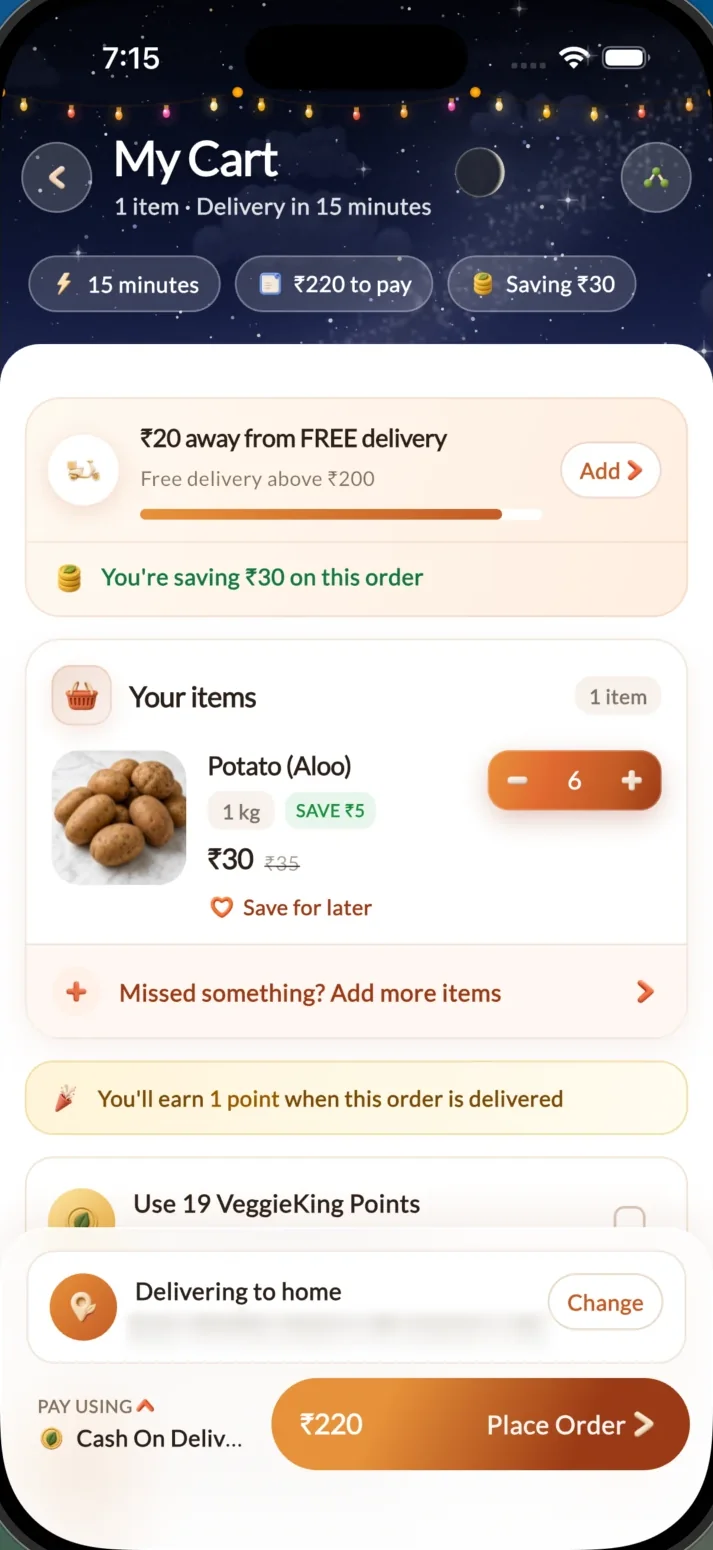
An Order again tab, saved addresses, and a cart that shows how far the order is from free delivery and what the customer saves.
Local and seasonal
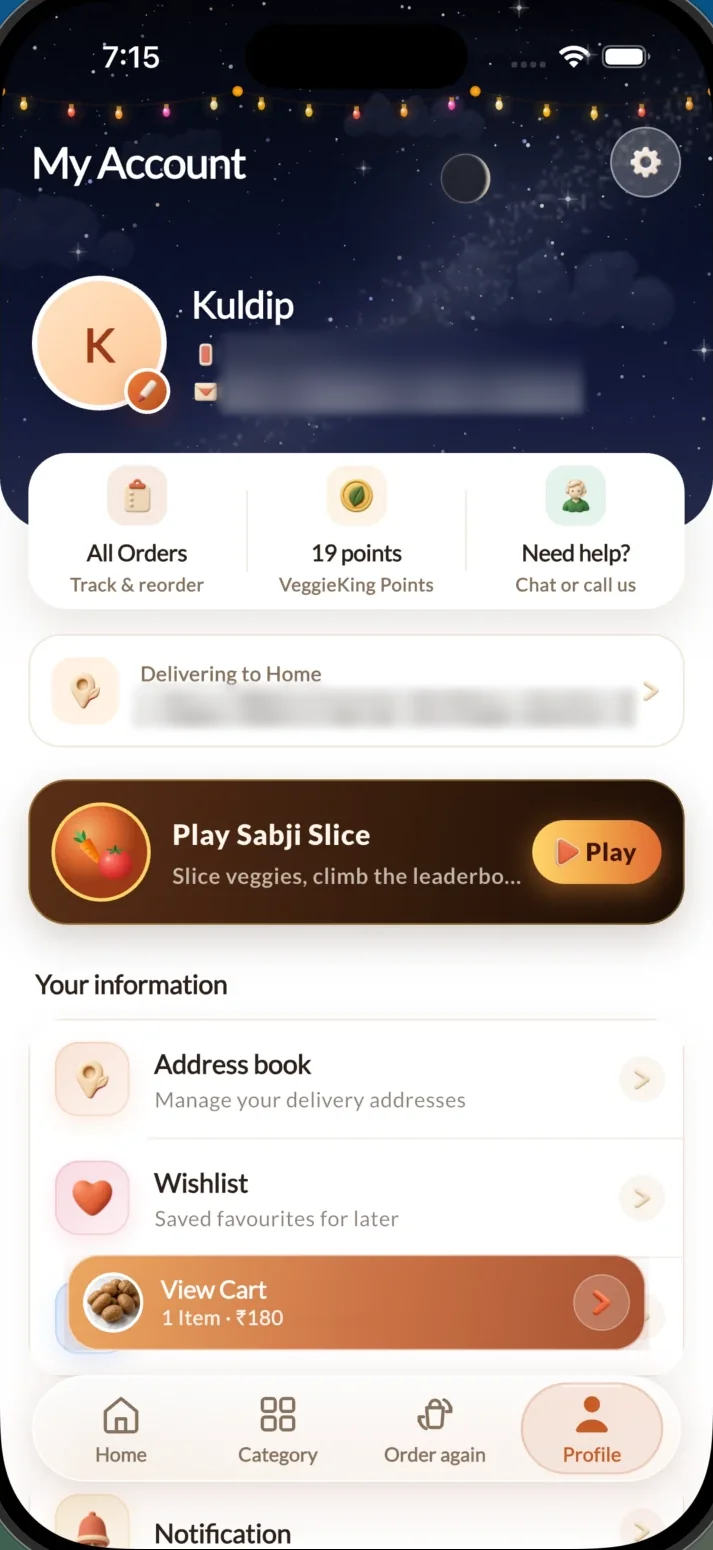
Festive themes change the app for the season, such as Diwali with greetings in Gujarati, and the Sabji Slice mini-game gives customers a reason to open the app between orders.
Two Flutter apps on Google Play, VeggieKing for customers and Veggieking Delivery Boy for delivery partners, using Firebase for sign-in, push notifications, analytics and crash reports and Google Maps for location and tracking, run from a web admin panel for stores, catalogue and pricing, inventory, orders, riders and cash.
What's in the product
15-minute delivery promise
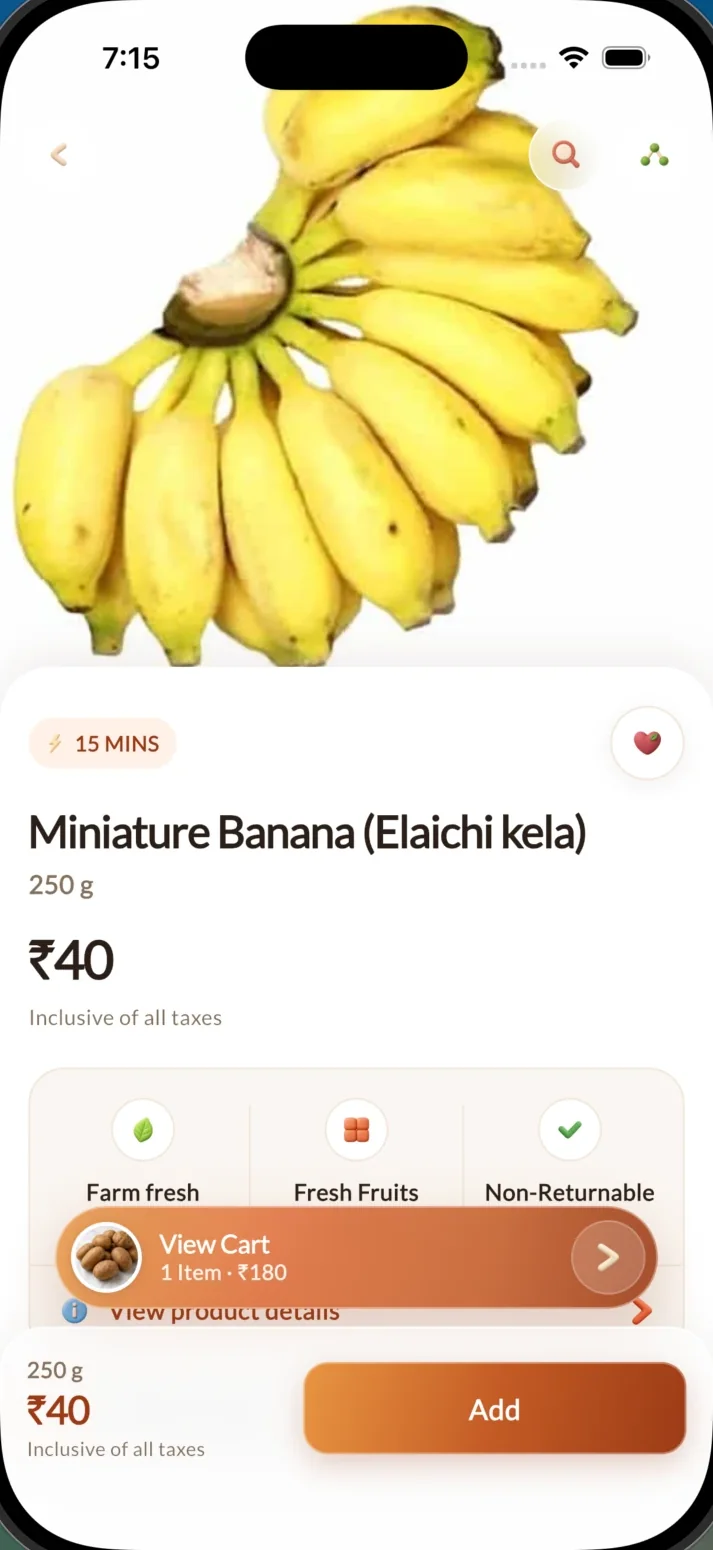
The home screen shows the delivery time from a nearby store, and products carry a 15 MINS badge.
Categories and voice search
Vegetables, fruits, herbs and spices, leafy greens and combo packs, with search by typing or speaking.
Any weight
Customers can type their own amount, such as 130 g, instead of picking a fixed pack.
Live tracking
Order status and live tracking after checkout, and an order can be cancelled in two taps.
A cart that helps
Progress towards free delivery, savings on the order, save for later and cash on delivery.
Points and reorder
VeggieKing Points are earned on delivered orders and can be used at checkout; one tap adds a past order back to the cart.
Festive themes and Sabji Slice
Seasonal themes such as Diwali, and a mini-game where customers slice vegetables and climb a leaderboard.
Delivery-partner app
A separate Flutter app for riders, Veggieking Delivery Boy, also on Google Play.
Admin panel
Stores and delivery areas, catalogue and pricing, inventory, orders and riders, and cash reconciliation in one place.
How it's built
- Apps
- Flutter: a customer app and a delivery-partner app
- Release
- Android App Bundles on Google Play, targeting API level 36
- Maps and location
- Google Maps, device location and route lines for live tracking
- Notifications
- Firebase Cloud Messaging push notifications
- Monitoring
- Firebase Analytics, and Crashlytics in the delivery-partner app
- Admin
- Web admin panel with roles, two-factor sign-in and store-level access
Checked against the app's source code in November 2026.
How the work was organised
Flow mapping
Browse, cart, checkout, tracking and reorder for customers; pickup and delivery for riders; stock and orders for stores.
Design
A warm, food-first interface with large product photos, festive themes and the cart always in reach.
Build
Two Flutter apps and the admin panel, working from the same orders.
Release and updates
Published on Google Play and updated regularly; the 7 November 2026 release added any-weight orders, one-tap reorder and clearer tracking.
VeggieKing on a phone
Screens from the customer app, November 2026. Personal details are blurred.
Stack
- FlutterCustomer and delivery-partner apps
- FirebaseSign-in, push notifications, analytics and crash reports
- Google MapsLocation and live order tracking
What you can check today
We don't publish sales, traffic or conversion figures without the client's permission. These are the results anyone can verify on Google Play.
- The customer app is live on Google Play
- The delivery-partner app, Veggieking Delivery Boy, is live on Google Play
- The 7 November 2026 update added any-weight orders, one-tap reorder, clearer live tracking and two-tap cancellation
- Google Play's data safety section lists data as encrypted in transit, with deletion on request
Other products we've shipped


Planning something like VeggieKing?
Tell us what you're building. We reply within one business day with questions, a suggested first release and a timeline.
Discuss Your Requirements