
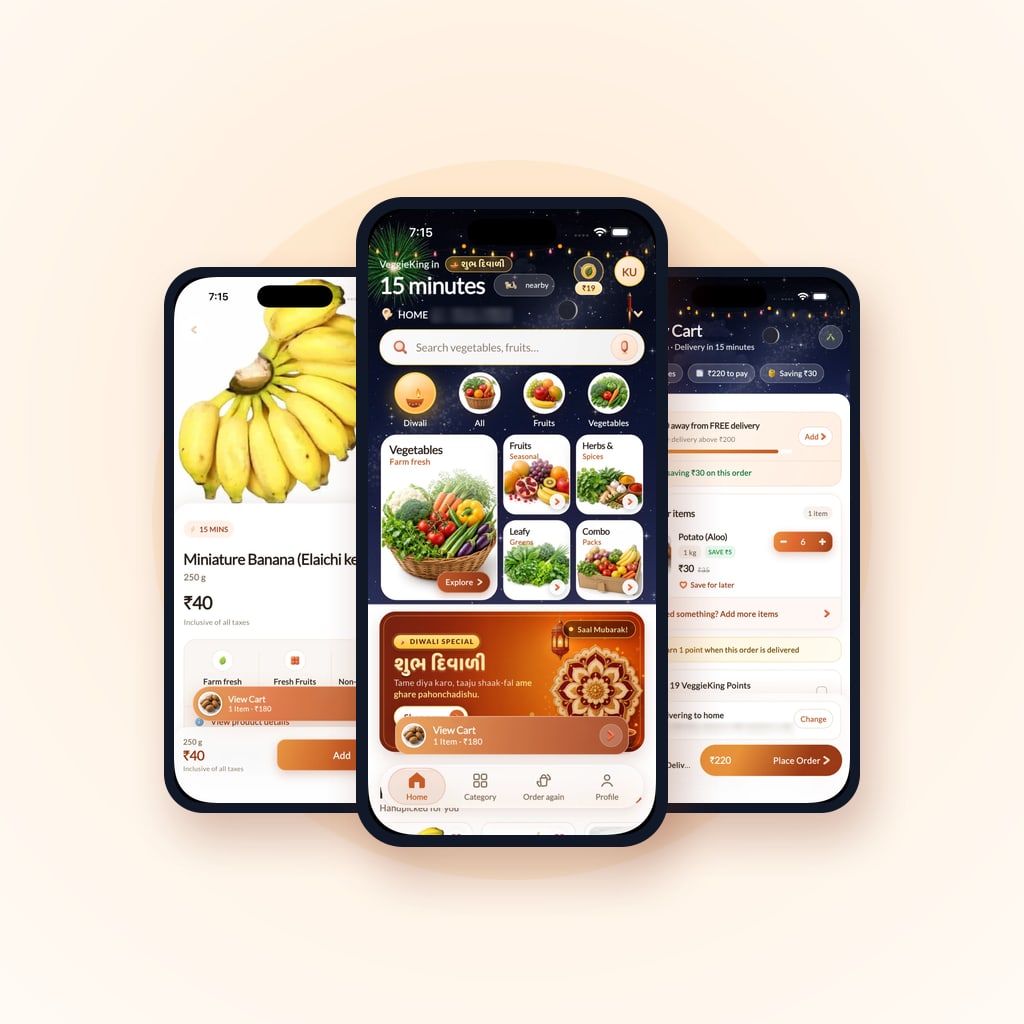
A mobile app is rarely one app. Behind a delivery app there is usually a second app for the people who deliver, and a web panel for the team that runs it all. When we built VeggieKing, a fresh fruit and vegetable delivery service, the product was two Flutter apps, one for customers and one for delivery partners, plus a web admin panel. This guide follows a project like that from the first idea to a Google Play release.
Map everyone who touches an order
Start with people, not screens. For VeggieKing that meant:
- Customers, who browse, order, pay and track a delivery
- Delivery partners, who pick up orders and deliver them
- The store and operations team, who manage stores and delivery areas, the catalogue and prices, stock, orders, riders and cash
Each group gets its own app or panel, with only what that person needs. Mixing them into one app makes every screen harder to use.
Decide what the first release must do
The first release should complete one loop end to end: a customer places an order, a partner delivers it, and the team can see that it happened. Everything else, from loyalty points to reorder shortcuts, earns its place once people order regularly. Write the first release down as a short list and keep it visible.
Choose the stack
We built VeggieKing in Flutter, and the Zeevan and KankreG storefronts with Expo, the React Native framework. The right choice depends on your platforms, whether you need a website from the same code, and who will maintain the app. We compare the options in React Native, Flutter or native apps: how we choose.
Design for one hand and a busy day
People use delivery apps on the move. A few rules we follow:
- Keep the main action within reach of the thumb. In VeggieKing the cart stays one tap away, in a bar above the tab bar.
- Make every tap target at least 48dp, as Android's accessibility guidance recommends.
- Design the loading, empty and error states, not only the happy path.
- Let people correct mistakes easily. VeggieKing's November 2026 update made cancelling an order a two-tap action.
Build the backend and admin alongside the apps
The apps are only as good as the data behind them. Orders, stock, delivery areas and rider assignments live on the server and in the admin panel, and they need to be built at the same pace as the app screens. VeggieKing also uses Google Maps for location and live tracking, and Firebase for sign-in, push notifications, analytics and crash reports.
Test on real phones and real networks
Emulators miss what customers run into. Test on older and low-memory Android phones, on slow mobile data, with location permission denied, and with the app sent to the background in the middle of an order.
Prepare the Google Play release
Publishing on Google Play has its own checklist:
- App Bundle. Since August 2021, new apps must be published on Google Play as an Android App Bundle (.aab).
- Signing. You sign uploads with an upload key, and Play App Signing holds the key that signs what users install. Store the upload keystore and its passwords somewhere safe, outside the code repository.
- Version codes. Every upload needs a higher version code than the one before.
- Target API level. Google Play raises the required target API level every year. From 31 August 2026, new apps and app updates must target Android 16 (API level 36), which is what we moved VeggieKing's customer app to in November 2026.
- Data safety. The Data safety form in Play Console describes what data the app collects and shares, and it must match what the app actually does.
- Testing tracks. Internal, closed and open tests let real people try a build before production. Developers with personal accounts created after 13 November 2023 must run a closed test with at least 12 testers for 14 days before they can apply for production access.
After launch: small, regular updates
A store app is never finished. Crash reports and reviews show what to fix, and small regular releases are easier to test than rare large ones. VeggieKing's 7 November 2026 update, for example, added orders by any weight, one-tap reorder, clearer live tracking and two-tap cancellation.
What to do next
See what we built in the VeggieKing case study, or compare stacks in React Native, Flutter or native apps. If you are planning an app, tell us what it has to do and we will suggest a first release.